Using ReachDeck on the NICHS Website: A Step-by-Step Guide
At Northern Ireland Chest Heart and Stroke, we want to help you and your family stay healthy. On our website, you can find easy information about chest, heart and stroke illnesses, how to look after your health, and the support we can give you.
Our website has the ReachDeck toolbar. This tool helps make our website easier to read, understand and move around. It can translate text, read words out loud, and make text bigger. The guide below will show you how to use it.
Open Toolbar
Click on the orange ReachDeck icon in the bottom right corner of the screen.
The toolbar will appear along the top of the screen with all the features available.

Translate
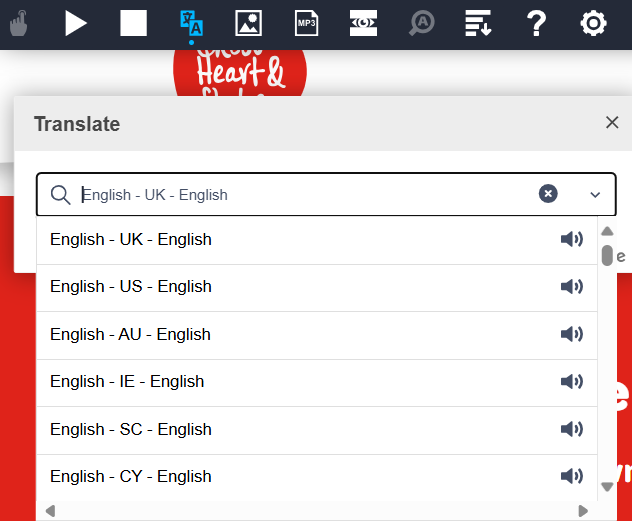
To translate our website into a different language, click the translate icon.

A dropdown menu will appear. You can then enter your preferred language.
Read Aloud

Click the read aloud icon.
Hover over the text you want to be read aloud and the audio will begin.
To stop the audio, click the stop icon. To play click the play icon.

Make Text Bigger

Click the magnify icon and hover over the text.
The text will appear in a larger print while being read aloud.
Click the play button to have the full page read aloud as well.
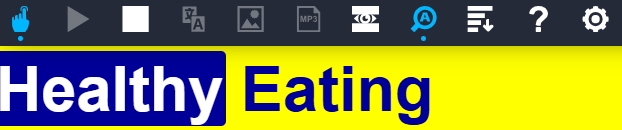
All the toolbar features explained:

Reads the page out loud. You can choose hover or click in the settings.

Starts reading the text you highlight, or from the top of the page.

Stops reading and removes highlights.

Translates the page with written and spoken translations in many languages.

Shows pictures for highlighted words to help understanding.

Turns selected text into an MP3 sound file.

Covers the screen with a coloured mask to help you focus on text.

Makes the text bigger while it is being read.

Removes extra items so you only see the main text.

Opens a simple help page about how ReachDeck works.

Lets you change settings to suit your needs.